 Your local job search
Integrations > idibu set up
idibu
CV-Library has integrated with idibu to allow users to post jobs across our unrivalled network and search CVs in our extensive database.
 Integrated with


Job posting guide v2
To post jobs to CV-Library using idibu v2, please follow the instructions below. If you're using idibu v3 click here.
Login to idibu and select "Job boards and quotas" from the sidebar. Then, click the tab for "Inactive Subscriptions", search for CV-Library and select "Subscribe". Enter your CV-Library Account ID and Account Key and press "Save Settings".

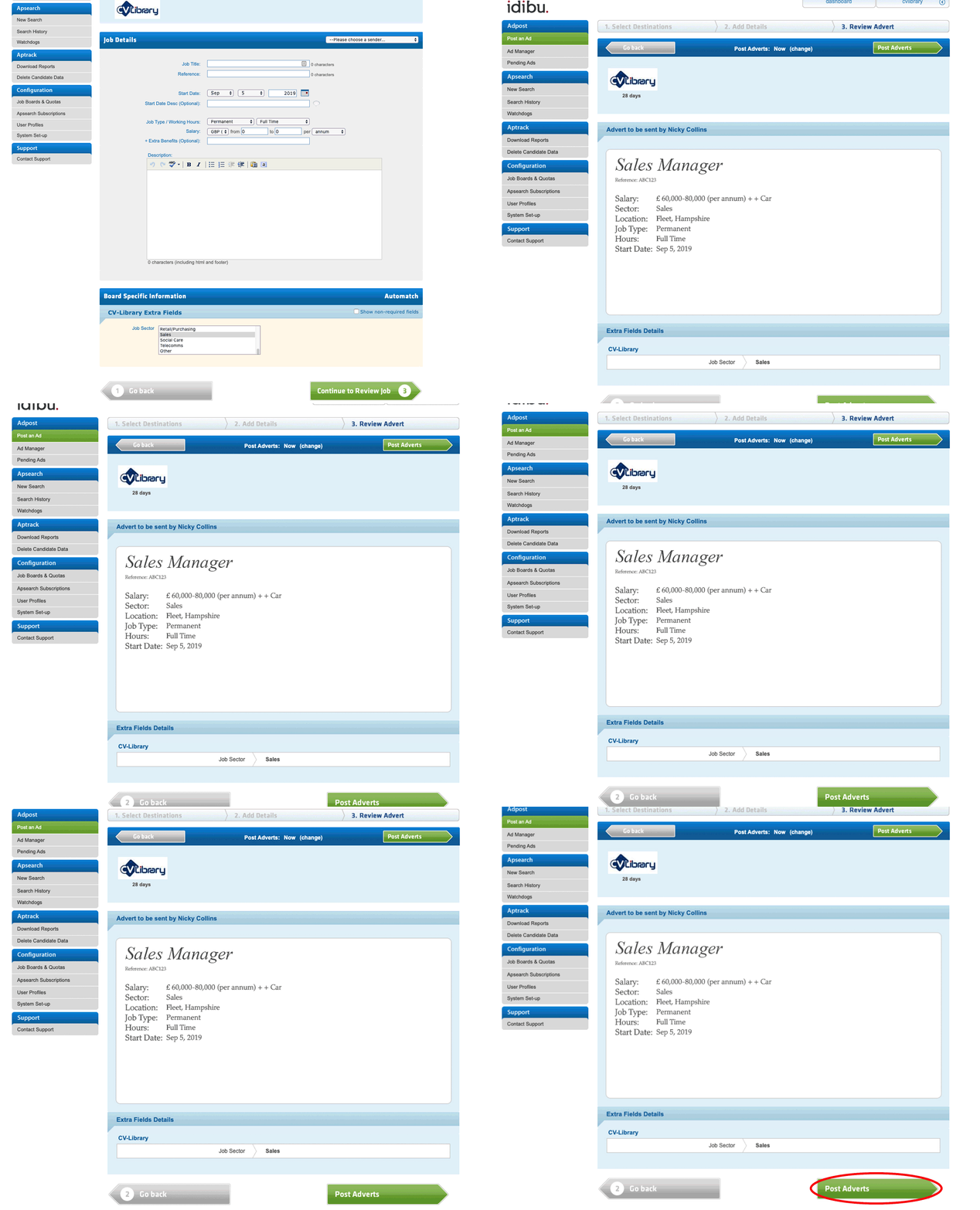
To post a job, select "Post an Ad" from the sidebar and fill out the sector, country and location fields. Under "Select job boards to post to", select "CV-Library".

Press "Continue to Job Details" and add your job criteria to the form. Once completed, add "Continue to Review Job". Once you have confirmed the details, select CV-Library and click "Post Adverts".
Job posting guide v3
To post jobs to CV-Library using idibu v3 please follow the instructions below. If you're using idibu v2 click here.
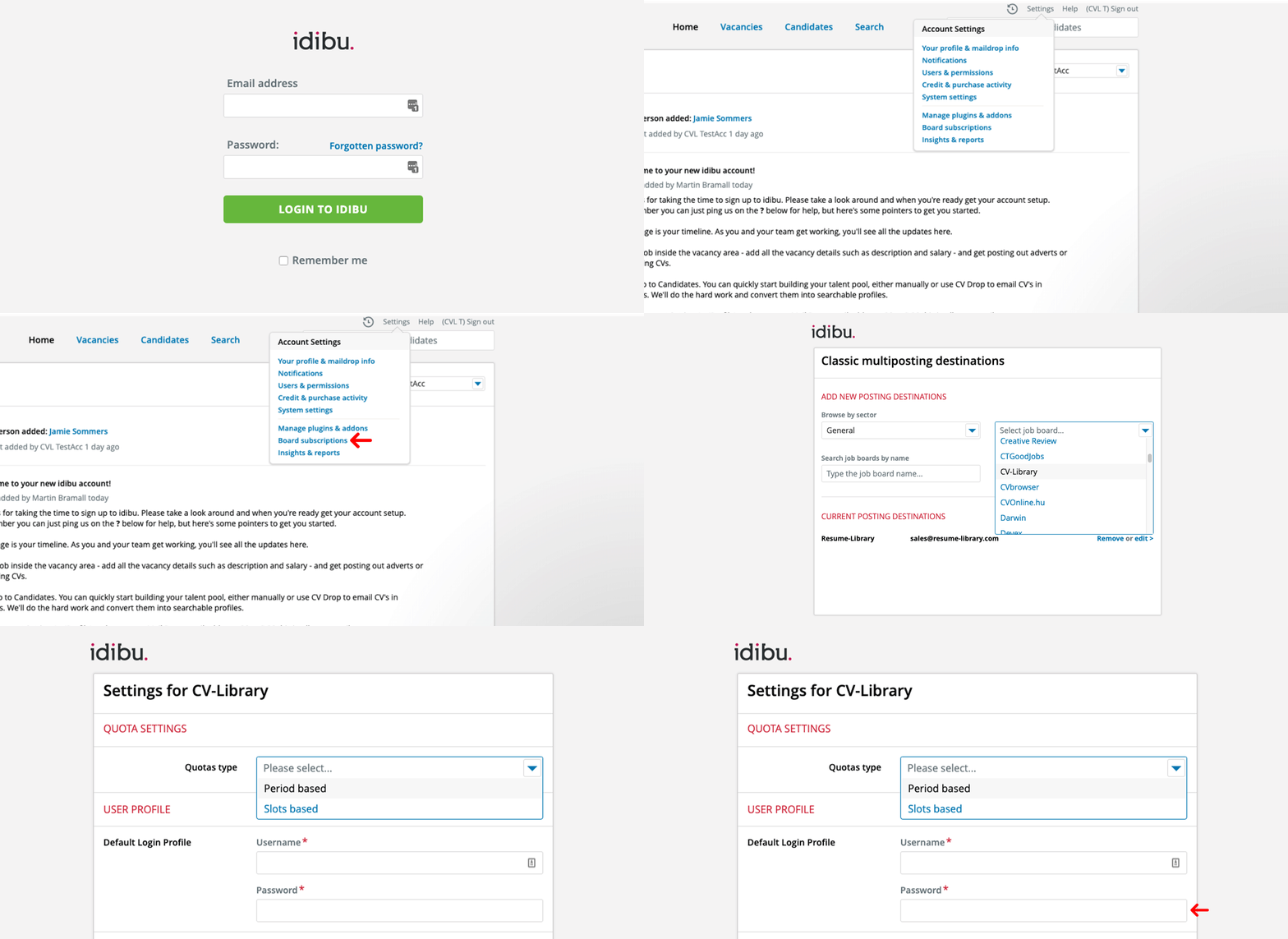
Login to idibu and click on "Account Settings" and choose "Board subscriptions". Enter "CV-Library" in the "Search job boards by name" and "Select Job Board" fields to be taken to the settings page. Then, select the quota type, enter your CV-Library Account ID and Account Key and press "Save".
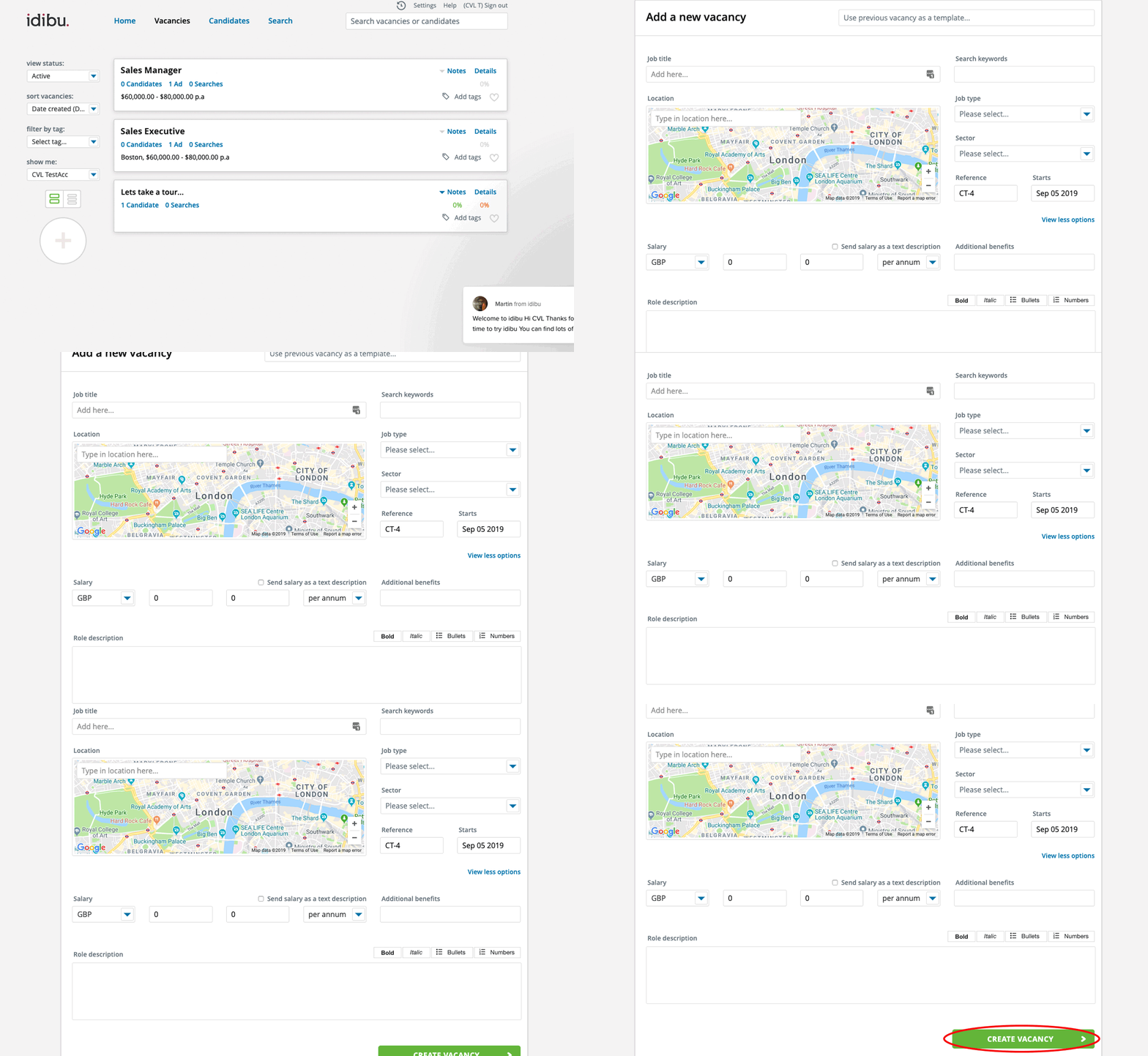
Select "Vacancies" from the top menu then press the Plus '+' sign to add a new job. Complete the form and press "Create Vacancy".
Select "Recruiting Options" and click "Post out adverts". Review the advert and press "Choose posting Destinations". Select CV-Library as the posting destination then press "Post Adverts".

Already have an account
Search CV-Library candidates on idibu
To start searching CV-Library candidates through your idibu account, follow these simple instructions:
If you don't have an account click here.
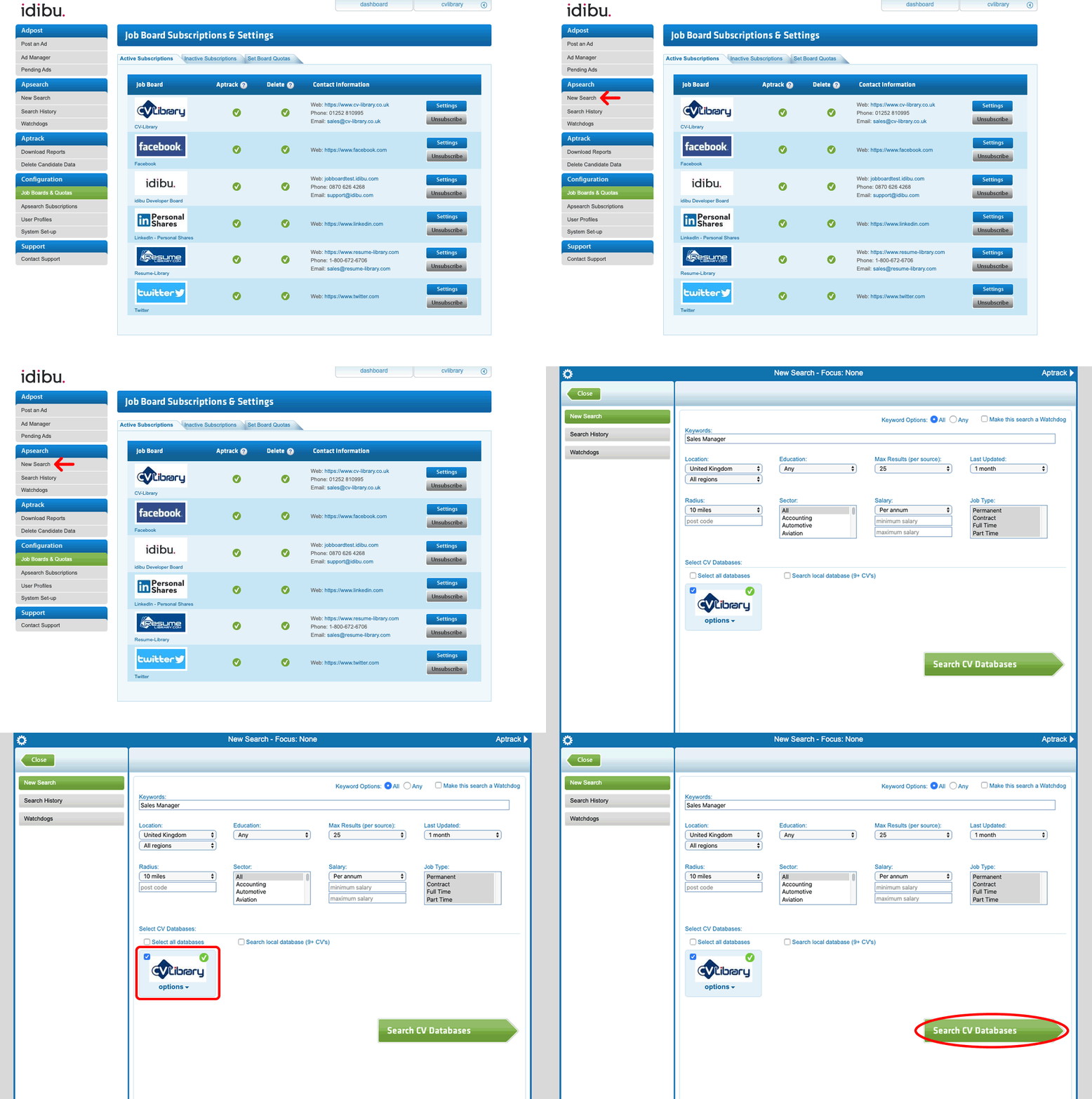
Log into idibu and click on "Job Boards & Quotas". Then, click on "Inactive Subscriptions" and search for CV-Library. Press "Subscribe".

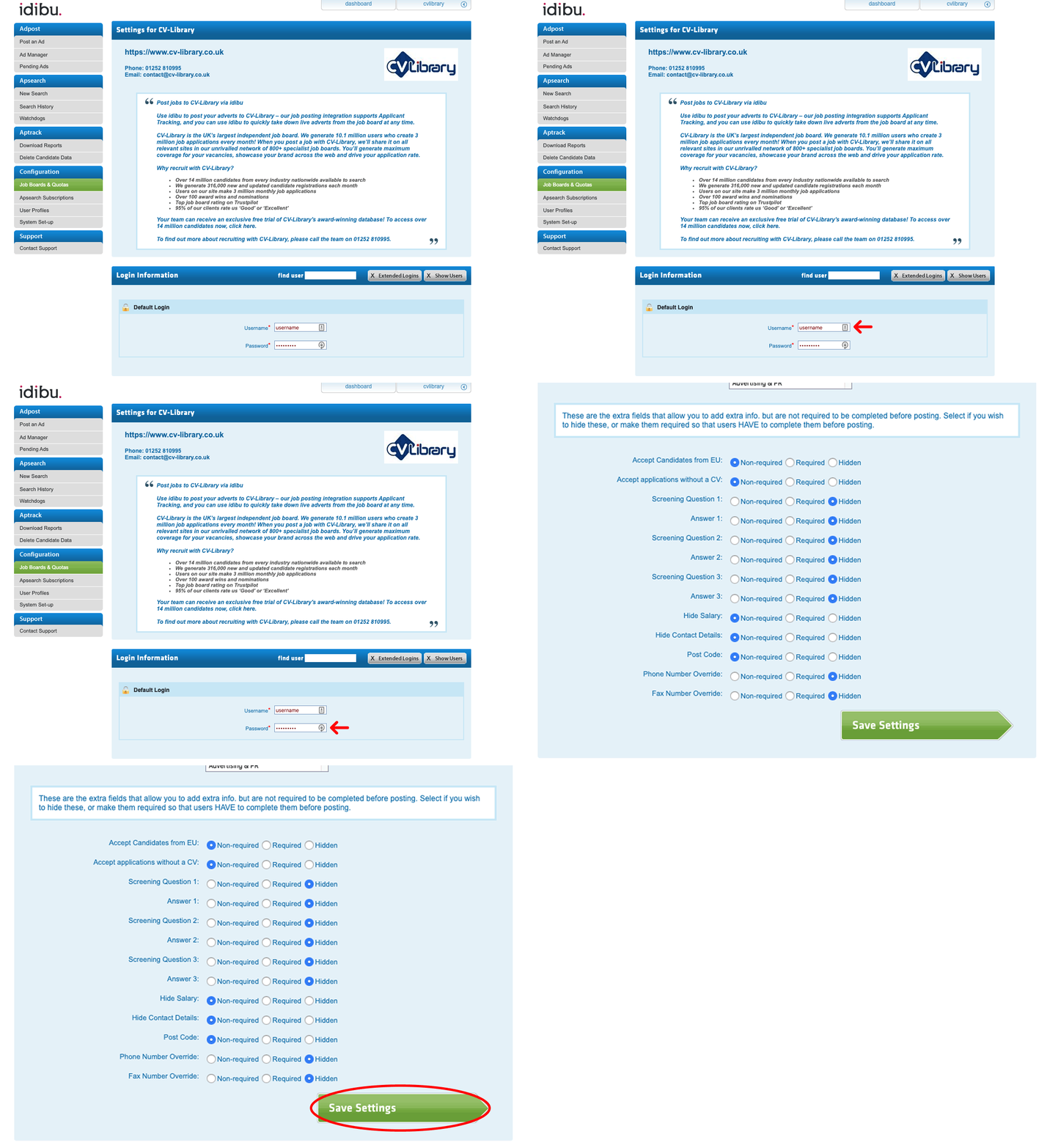
Enter your CV-Library account username and password. Choose the details of your job that you would like to display to candidates and then press "Save Settings".
If you're unsure of your CV-Library credentials, contact your CV-Library Client Response Coordinator on 01252 810992.
CV-Library will now appear in your active subscriptions. Find and select "New Search" in the left-hand toolbar. Enter your search criteria, select CV-Library and press "Search CV Databases".
Candidates from CV-Library matching your search criteria will be quickly displayed. To open a candidate's CV, press "View." To view the full CV, including the candidate's contact details, select "Actions" then press "Download CV" from the dropdown menu. The full CV will then be downloaded.

New to CV-Library
Search CV-Library CVs on idibu v2
To post jobs to CV-Library using idibu v2, please follow the instructions below. If you're using idibu v3 click here.
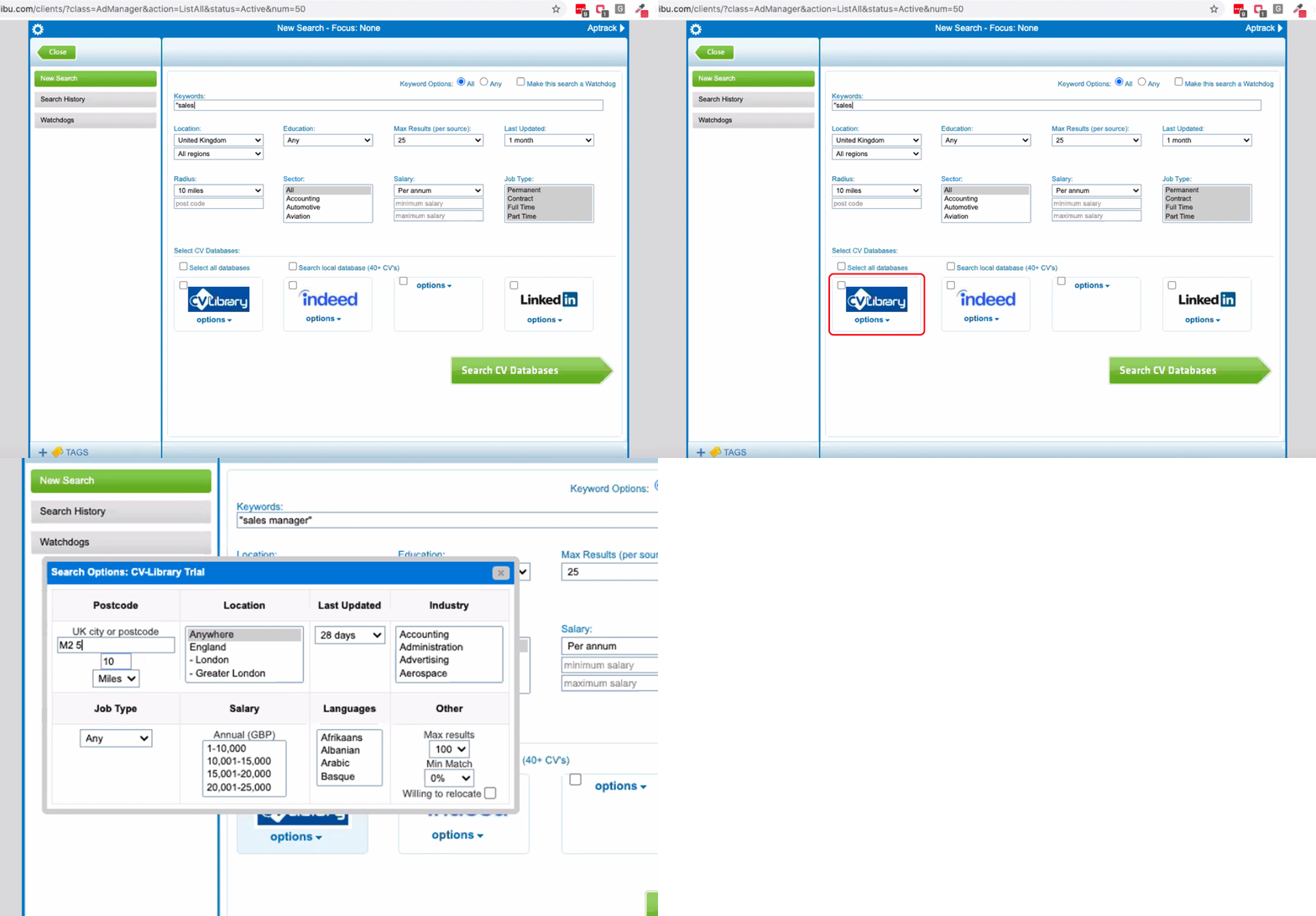
Login to idibu, select "Ad Manager" and choose one of your vacancies

Once you've opened a job, tick CV-Library from the list of job boards, and add any other relevant search criteria and select "Search CV Databases"
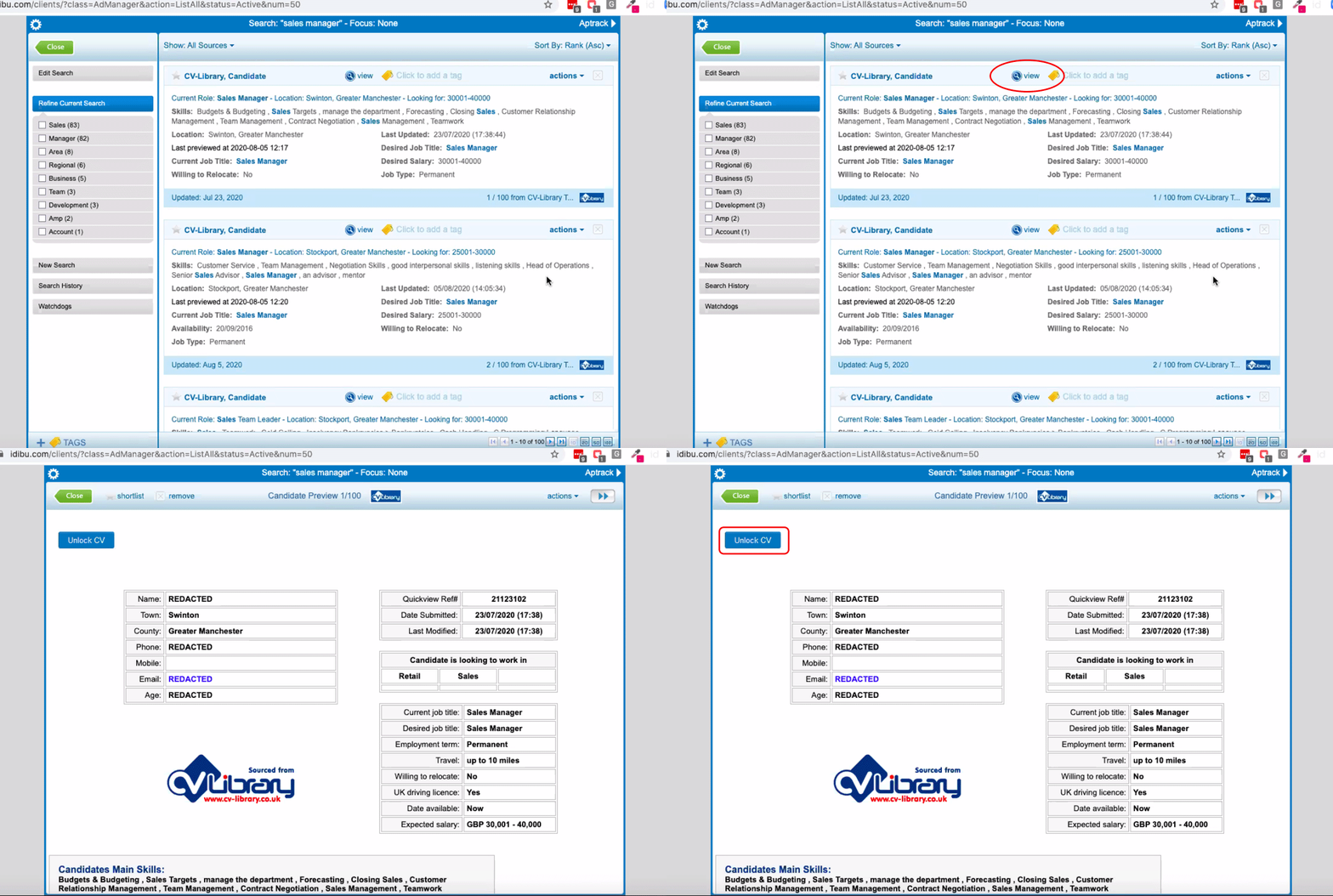
Candidates from CV-Library matching your search criteria will be quickly displayed. To open a candidate's CV, press "View." To view the full CV, including the candidate's contact details, you will need a CV-Library account. Select "Unlock CV" and complete the form.
Search CV-Library CVs on idibu v3
To post jobs to CV-Library using idibu v3, please follow the instructions below. If you're using idibu v2 click here.
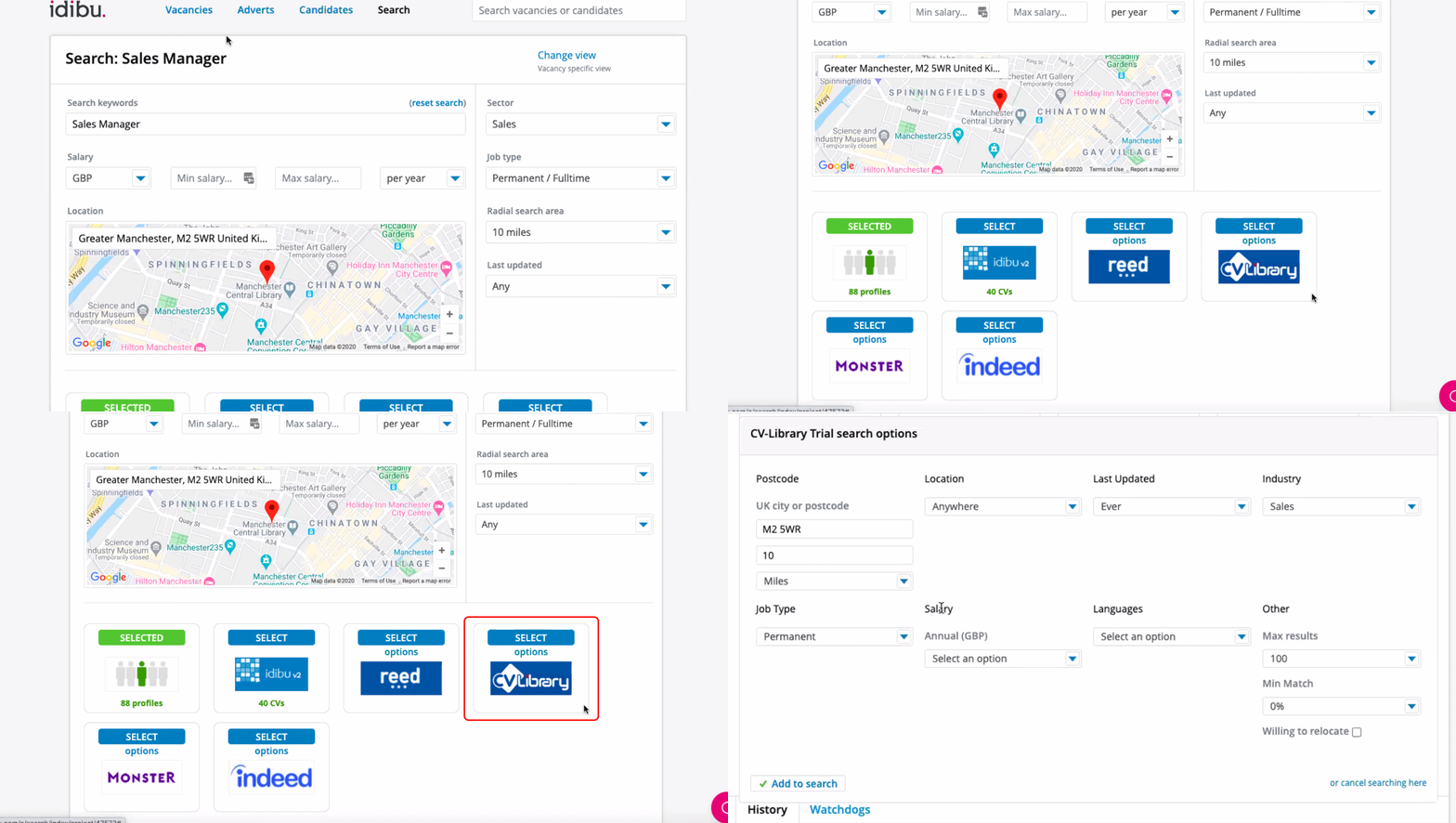
Login to idibu, select your Jobs List and choose one of your vacancies

Once you've opened a job, tick CV-Library from the list of job boards, and add any other relevant search criteria and select "Search"
Candidates from CV-Library matching your search criteria will be quickly displayed. To open a candidate's CV, press "View." To view the full CV, including the candidate's contact details, you will need a CV-Library account. Select "Unlock CV" and complete the form.

You're done!
If you experience any problems, please call our team on: 01252 810995